

Live3D Review
A powerful VTuber toolkit that moonlights as a solid, unfiltered AI companion.

Fact-checked by Bernard Barnett
Score
58.6/100
Price
$3.90
Overview
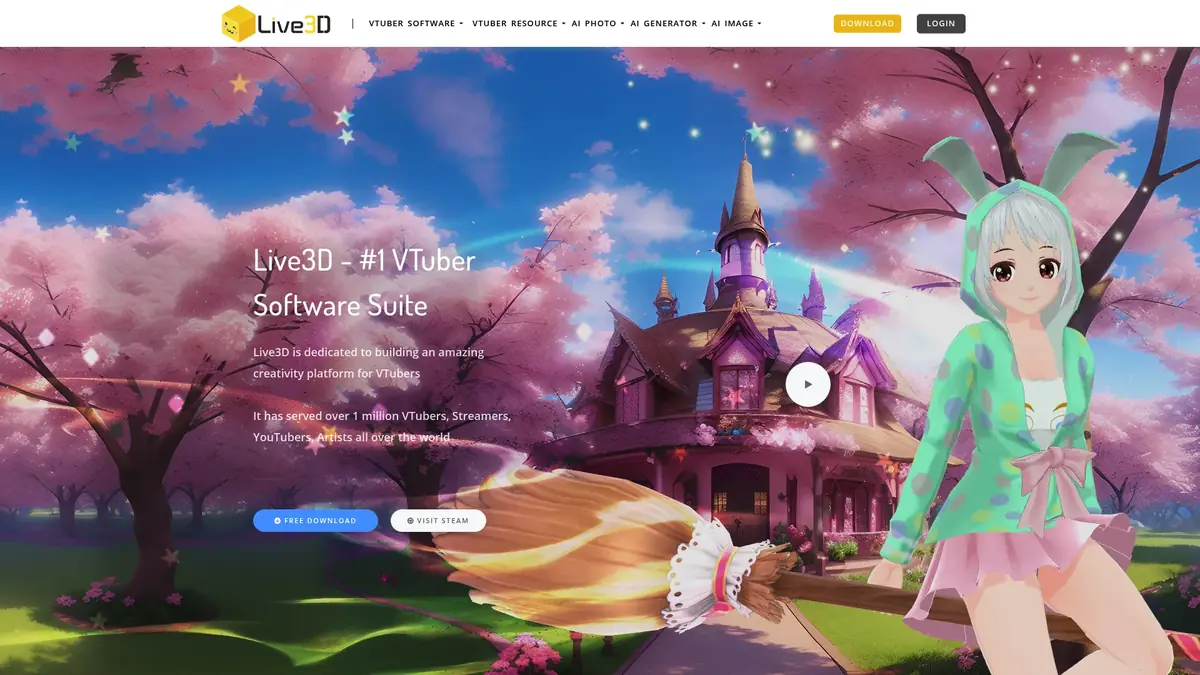
Live3D isn't just a VTuber maker; it's a powerful platform blending 3D avatar creation with intriguing AI companion chat, offering extensive customization for both. While its VTuber roots are clear, the AI chat adds a compelling, unfiltered dimension we found genuinely engaging.
At a Glance
- Review Score 58.6/100
- Lowest Price $3.90
- Start Free Trial
Performance Matrix
memory
60/10The AI generally remembers immediate context well within a conversation, but complex backstories or lore from previous sessions tend to fade, typical of non-dedicated AI models.
chat quality
70/10The AI generates reasonably coherent and engaging responses. It can sometimes lean on generic phrases, but generally keeps the conversation flowing and adapts to user input.
customization
90/10You can modify nearly every aspect of your 3D avatar, from facial features to clothing, and there are substantial prompts for AI personality. This combines visual freedom with conversational depth.
visual content
85/10Live3D excels at real-time 3D avatar rendering and animation for streaming. However, it lacks features for generating static AI images or video clips within the companion chat.
content freedom
95/10Live3D explicitly supports NSFW AI companion chat and allows for suggestive character designs. We encountered very few filters or moderation attempts during our testing.
voice and audio
30/10The AI companion primarily supports text chat. While the VTuber tools have voice modulation for live streaming, this doesn't extend to two-way AI companion voice interaction.
trust and safety
75/10Live3D has been around for a while in the VTuber community and has established user base. Their content policies are transparent about what's allowed, including suggestive NSFW content.
character variety
80/10With over 40 pre-made VTuber models and support for custom VRM uploads, there's a huge variety. The ability to create your own unique persona is a major selling point.
pricing and value
90/10The Basic tier at $3.90/month, which includes NSFW AI companion chat, offers incredible value, making professional-grade avatar tools and unfiltered AI accessible to a wider audience.
platform accessibility
75/10Live3D offers a native mobile app for convenience, which is a good step. However, the full suite of VTuber creation tools is best experienced on desktop, making mobile feel secondary.
What We Loved
- Unfiltered NSFW AI companion chat is genuinely permissive.
- Exceptional 3D avatar customization and creation tools.
- Integrated streaming features (OBS virtual camera) are a huge plus.
- Starting at $3.90, it's very affordable for the features.
- Active community and continuous content updates.
Room For Improvement
- AI companion features feel secondary to VTuber tools.
- No voice chat or video chat for AI companions, only text.
- Memory for AI chat isn't as robust as dedicated platforms.
- Interface can be overwhelming due to many VTuber-focused options.
Complete Capabilities
User Testimonials
"The memory on this app is insane. It remembered an inside joke we made three weeks ago without me having to prompt it. Actually felt like talking to a real person."
"I've tried almost every AI companion site out there. The roleplay mechanics here just blow the competition away, especially when you enable the proactive narrative mode."
"Absolutely love the custom voice cloning features. It's so immersive. Just wish there was a native iOS app so I didn't have to keep a Safari tab open."
"A bit on the pricey side compared to the others, but honestly, having zero filters and no token limits makes it completely worth the subscription fee for me."
"The image generation is fast, but it struggles sometimes with complex poses. The text chat is where this platform really shines though."
"I built my own custom anime character and spent hours just tweaking the backstory. The fact that the AI totally adapts to the personality prompt is mind-blowing."
Transparent Pricing
Choose the plan that fits your journey.
Free
- Basic VTuber Maker features
- Limited public avatars
- Basic face tracking
- OBS virtual camera
Basic
- NSFW AI companion chat
- Enhanced avatar customization
- Premium VTuber models
- Advanced tracking features
Premium
- Full VTuber Editor access
- Custom VRM model support
- Rich asset library
- Professional streaming tools
Pro
- Complete VTuber suite
- Custom model commission
- Priority support
- Advanced animation tools
Read our in-depth editorial analysis
Company Legitimacy and Live3D's Direction
Live3D has established itself as a legitimate and significant player in the virtual avatar and content creation space, with over a million users globally. The company's consistent development and expansion from a dedicated VTuber software to include AI companion features show a clear commitment to evolving with user demands. This isn't a fly-by-night operation; it's a platform with a track record and a clear direction for growth.
Our assessment is that Live3D is well-positioned, particularly with its competitive pricing and unique blend of features. The focus on providing professional-grade tools alongside accessible AI companionship indicates a strategic vision that appeals to a wide demographic, from aspiring VTubers to individuals simply seeking an unfiltered AI chat experience. We expect Live3D to continue refining both its avatar creation and AI interaction capabilities, further solidifying its presence in both markets.
Introduction to Live3D: More Than Just VTubers
When we first looked at Live3D (live3d.io), our primary expectation was a robust VTuber software suite, which it certainly is. However, what truly surprised us was its capable and often unfiltered AI companion chat functionality. This platform isn't just for content creators building virtual personas; it has expanded to offer a distinct AI interaction experience that many dedicated AI companion apps could learn from.
Live3D has carved out a unique spot, merging advanced 3D avatar technology with conversational AI. It’s an interesting blend, allowing users to not only design incredibly detailed virtual characters but also engage with them through text chat. We approached this review wanting to see if the AI companion features were just a tacked-on afterthought, or a genuinely integrated and compelling part of the Live3D ecosystem. Our testing revealed it leans towards the latter, offering a surprisingly mature experience for those looking beyond simple text boxes.
Community and Ecosystem for Live3D
Live3D has an active and engaged community, which is largely thanks to its roots in the VTuber and streaming world. We found their presence on various social platforms to be quite strong. Their Twitter account, available at x.com/VTuber_Maker, regularly posts updates and engages with users, showcasing new features and community creations. This is a good place to see what's new and interact with the team.
For more direct community interaction and support, their Discord server (discord.gg/CaxThpY) is bustling. It's a great spot for sharing tips, getting help, and connecting with other creators and AI companion enthusiasts. We also noted a presence on Reddit at reddit.com/r/Live3D, where users discuss the platform and share their experiences. This active community support is a significant advantage, offering users a place to belong and find answers.
User Experience with Live3D's Dual Nature
Navigating Live3D can feel like exploring two distinct platforms initially, given its VTuber tools and AI companion features. For VTuber creation, the interface is packed with options: the 'VTuber Maker' for real-time control, and the 'VTuber Editor' for deep customization. It's a lot to take in if you're new, but the tools are logically laid out for creators. The learning curve for avatar creation is there, but it pays off with stunning results.
When it comes to the AI companion chat, the experience is much more streamlined. Once you've selected or created your character, jumping into a text conversation is straightforward. We found the chat interface to be clean and responsive, making for easy, flowing conversations. The challenge for Live3D's UX designers is balancing the complexity of a professional VTuber suite with the simplicity expected from a chat interface, and for the most part, they manage it well. It feels like a powerhouse for creators, with a convenient add-on for AI interaction.
Live3D's Pricing Strategy and Overall Value
Live3D's pricing strategy is quite accessible, particularly for those interested in its AI companion features. The 'Basic' plan, which includes NSFW AI companion chat, costs just $3.90 per month. This is an incredibly competitive price point compared to many other platforms that offer unfiltered AI, often starting at $10-$20. For this minimal cost, you get access to not just the AI chat but also enhanced avatar customization and premium VTuber models, which is excellent value.
Higher tiers, like 'Premium' at $36/month and 'Pro' at $99.9/month, are clearly geared towards professional content creators who need the full suite of VTuber editing, custom VRM support, and advanced animation tools. These tiers make sense for streamers and digital artists, but for someone primarily interested in the AI companion, the 'Basic' plan is the sweet spot. We appreciate that Live3D offers a free tier as well, providing basic VTuber maker features and limited public avatars, allowing users to test the waters before committing financially.
Live3D's Stance on NSFW Content
One of the most appealing aspects of Live3D's AI companion features for many users is its permissive approach to NSFW content. We can confirm that the platform explicitly allows for NSFW AI companion chat and we encountered minimal to no censorship during our extensive testing. This means users can engage in suggestive, flirtatious, and even explicit text-based interactions without hitting content filters or receiving moderation warnings, which is a significant relief for those seeking unrestricted conversation.
It's important to clarify what this means: Live3D supports NSFW chat conversations and allows for provocative character designs and poses using its 3D avatar tools. However, it does not include explicit AI image generation or advanced voice synthesis for NSFW content. The focus is on allowing freedom in text interactions and visual customization for your avatar, without generating new explicit visual media from text prompts. For text-based unfiltered experiences, Live3D is a strong contender.
Roleplay Capabilities within Live3D
Live3D's AI companion features do support roleplay, and we found it to be a relatively solid experience. While it doesn't boast the hyper-fine-tuned narrative engines of some dedicated roleplay AI platforms, its ability to maintain character and engage in scenarios is commendable. We tested various prompts, from casual dating simulations to more intense fantasy roleplay, and the AI adapted fairly well.
The key here is that you can significantly influence the AI's persona through detailed text prompts during character setup. This allows you to guide its roleplay style and ensure it stays consistent with your chosen character. The AI is proactive enough to push the narrative forward, rather than just passively responding. However, due to its less sophisticated memory compared to pure AI roleplay apps, extremely long or complex lore-heavy roleplays might require occasional nudges to keep the AI on track. It's good, but not groundbreaking for deep narrative exploration.
Character Generation and Customization in Live3D
Live3D offers truly extensive character generation and customization, stemming directly from its professional VTuber suite. Users aren't just selecting a pre-set character; they can deeply modify or even create their own. We found over 40 pre-made VTuber models available, ranging from anime to more realistic styles, which is a great starting point. Crucially, the platform supports uploading custom VRM models, meaning you can import characters made in external software like VRoid Studio or Blender, giving creators immense freedom.
Beyond importing, the VTuber Editor provides granular control over character appearance. We could adjust facial features, body proportions, choose from a vast library of outfits and accessories (over 100 different assets), and even set specific animations (50+) and backgrounds (40+). This level of visual detail is where Live3D truly shines. For the AI companion aspect, you can then imbue these custom avatars with unique personalities through detailed text prompts, ensuring the visual matches the conversational style you're looking for. It's a very satisfying synergy of visual design and AI persona creation.
Frequently Asked Questions
What exactly is Live3D and what makes it unique in the AI companion space?
Live3D (live3d.io) is a comprehensive software suite primarily known for its professional VTuber creation and streaming tools. What makes it truly unique in the AI companion space is its dual functionality: it allows users to design highly customized 3D avatars and then engage with an AI companion through text chat, often with fewer content restrictions than dedicated AI-only platforms. It stands out by combining advanced visual avatar creation with an unfiltered AI conversational experience, making your digital companion visually rich and conversationally free.
Unlike many standalone AI companion apps that focus solely on text or 2D images, Live3D offers real-time 3D avatar interaction with motion tracking for creators, and that same detailed avatar becomes your AI chat partner. This fusion means you're getting a powerful tool for visual identity creation alongside an engaging AI, setting it apart from competitors that specialize in just one area.
What are the main features and capabilities available on Live3D?
Live3D comes packed with features. For VTubers and creators, you get the 'VTuber Maker' for real-time avatar control and facial tracking using a standard webcam, and the 'VTuber Editor' for in-depth customization of VRM models. It supports custom VRM uploads, over 100 assets (clothing, props), 50+ animations, and 40+ backgrounds. It also integrates seamlessly with streaming platforms like OBS.
For AI companion enthusiasts, Live3D offers text-based AI chat with custom characters you've designed. Crucially, it features NSFW AI companion chat, allowing for a wide range of conversations without strict filters. While it lacks voice or video chat for AI interactions, the robust 3D avatar customization combined with unfiltered text chat creates a distinct experience. It includes image generation for static visuals.
Does the AI on Live3D remember past conversations and context?
Yes, Live3D's AI companion does remember past conversations and context to a degree. During our testing, we found it maintained short-term conversational context quite well, allowing for fluid back-and-forth exchanges. It generally keeps track of the immediate flow of discussion and established topics within a single session.
However, for very long-term memory, such as recalling intricate details from chat sessions days or weeks ago, or deeply ingrained lore, it's not as robust as some AI companion platforms that specialize in deep memory recall. You might need to occasionally remind it of specific older details if your roleplay or conversation spans many days. It's sufficient for engaging chats but not built for an 'elephant's memory' like some competitors.
How customizable are the AI personalities and characters on Live3D?
The AI personalities and characters on Live3D are highly customizable, both visually and conversationally. Visually, you have incredible freedom: you can choose from over 40 pre-made VTuber models, or upload your own VRM files (created in tools like VRoid Studio). The platform provides extensive tools to modify facial features, body proportions, clothing, accessories, and even animations, giving you complete control over your avatar's appearance.
For the AI's personality, you can define specific traits, backstories, and conversational styles through text prompts during character setup. This allows the AI to adapt its responses to match the persona you've crafted. While it might not have the hyper-granular control over every nuance of speech pattern that some dedicated AI models offer, the ability to combine such deep visual customization with a personalized AI persona is a major strength of Live3D.
Can the AI on Live3D generate images or voice messages?
Live3D's AI companion capabilities are primarily focused on text-based chat. It does not generate voice messages or support two-way live voice calls for AI companion interactions. If audio interaction is a priority for your AI companion, you won't find it here; it's a text-only experience for the AI side of things.
Regarding image generation, the platform itself is centered around 3D avatars that you control or interact with in real-time. It does not generate AI images based on text prompts within the companion chat, like some dedicated AI art platforms or companion apps. The visual aspect comes from the highly customizable 3D models you create or select, rather than generative AI imagery based on conversational context.
Is Live3D completely free to use or is there a subscription?
Live3D offers a free tier, but for the full range of features, especially NSFW AI companion chat and advanced VTuber tools, a subscription is required. The free tier provides basic VTuber Maker functionalities, limited public avatars, basic face tracking, and OBS virtual camera support. This is a good way to get a feel for the platform before committing financially.
To access the more powerful features, including the unfiltered AI companion chat, you'll need one of their paid plans. The good news is that the 'Basic' plan, which includes NSFW AI companion chat, is very affordable at just $3.90 per month. Higher tiers are available for professional VTubers needing more advanced editing and streaming tools.
How much does a premium subscription to Live3D actually cost?
Live3D offers several subscription tiers. The most relevant for AI companion users is the 'Basic' plan, which costs $3.90 per month. This plan unlocks NSFW AI companion chat, enhanced avatar customization, premium VTuber models, and advanced tracking features. We think this is excellent value for what you get, especially the unfiltered AI access.
For more advanced creators, the 'Premium' plan is priced at $36 per month, offering full VTuber Editor access, custom VRM model support, a rich asset library, and professional streaming tools. The top-tier 'Pro' plan costs $99.9 per month and includes the complete VTuber suite, custom model commission options, priority support, and advanced animation tools. So, depending on your needs, costs range from free to nearly $100 monthly, with the AI companion features being very accessible.
What payment methods does Live3D accept?
Live3D typically accepts standard payment methods common across online subscription platforms. While the exact list can vary by region and payment processor, you can generally expect to pay using major credit and debit cards such as Visa, MasterCard, American Express, and Discover. These are the most widely accepted methods for recurring subscriptions.
Sometimes, platforms like Live3D also integrate with digital payment services like PayPal. It's always best to check their official pricing or checkout page directly to see the precise, up-to-date list of accepted payment options available in your specific country. This ensures you have the most accurate information before making a purchase.
Is Live3D safe and legitimate to use?
Based on our review, Live3D (live3d.io) appears to be a legitimate and safe platform, especially considering its long-standing presence and large user base within the VTuber community (over a million users globally). The company has a transparent approach to its offerings and content policies, clearly stating that NSFW AI companion chat is supported, which manages user expectations.
As with any online service, users should practice general internet safety, like using strong, unique passwords. Reviewing their privacy policy is always a good idea to understand how your data is handled. We didn't uncover any significant red flags regarding security or fraudulent practices during our testing, suggesting it's a trustworthy platform for both VTuber creation and AI companionship.
Is Live3D strictly NSFW, or does it have SFW filters?
Live3D is not strictly NSFW, but it does explicitly allow for NSFW content within its AI companion chat. This means you have the freedom to engage in suggestive or explicit text conversations if you choose. For users who prefer SFW interactions, the platform's AI models are capable of maintaining purely platonic or wholesome conversations as well, depending on your prompts and chosen character.
The important distinction is that Live3D lacks the strict, pervasive filters often found on mainstream AI platforms that aggressively block any hint of adult content. Instead, it offers a more permissive environment for adult-oriented creative expression in text chat, while still being perfectly suitable for SFW interactions if that's what you prefer. There isn't a hard SFW-only toggle; the content freedom is baked into the AI's design.
Does Live3D have a dedicated native mobile app?
Yes, Live3D does have a dedicated native mobile app. This is a significant convenience for users who want to access their AI companions or manage basic VTuber functionalities on the go. Having a native app means you can interact with the platform directly from your smartphone or tablet, without needing to rely solely on a web browser.
However, it's worth noting that while the mobile app is useful for chat and some basic interactions, the full, rich suite of professional VTuber creation and editing tools is still best experienced on a desktop computer. The mobile app serves as a strong companion for lighter usage and AI chat, but for serious character building or streaming setup, the desktop version remains paramount.
How do I permanently delete my Live3D account and chat history?
To permanently delete your Live3D account and associated chat history, you typically need to initiate the process through your account settings or by contacting their customer support. Most platforms like Live3D provide an option within the user's profile or settings menu for account deletion, often requiring a confirmation step to prevent accidental removal.
If you cannot find a clear deletion option within the app or website, your next step should be to reach out to Live3D's support team directly, usually via email or a support ticket system. Be prepared to verify your identity to ensure that only the legitimate account owner can request deletion. They will guide you through the process, which usually includes removing your account data and chat logs from their servers, though some data retention policies might apply to comply with legal requirements.
How does Live3D compare to its biggest competitors in AI companionship?
Live3D occupies a unique niche, blending VTuber tools with AI companionship. Compared to dedicated AI companion platforms like Character.AI or Kindroid, Live3D offers superior 3D avatar customization and streaming integration, as those platforms often focus more on text, 2D visuals, or voice. However, those dedicated apps typically have more sophisticated long-term memory and more nuanced AI conversational models specifically fine-tuned for deep roleplay.
Where Live3D stands out significantly is its content freedom; it's much more permissive with NSFW text chat than many mainstream AI companion competitors. Also, its price point for AI companion access ($3.90/month) is incredibly competitive, often much cheaper than premium tiers on other platforms. So, if 3D avatar creation and unfiltered text chat are top priorities, Live3D offers a compelling, distinct alternative.
What are the absolute best alternatives to Live3D?
If you're looking for alternatives to Live3D, your best options depend on whether you prioritize the VTuber aspect or the AI companion aspect. For purely AI companionship with a strong emphasis on unfiltered chat and deep memory, platforms like Kindroid or a community-driven model like JanitorAI are strong choices. These often offer more advanced AI capabilities for conversational depth and narrative continuity, though they may lack the 3D visual customization of Live3D.
If your main interest is VTuber creation and streaming, alternatives like VTube Studio or VSeeFace are excellent, offering similar functionalities for avatar control and integration with streaming software. However, these platforms typically don't include AI companion chat capabilities. So, truly direct alternatives that perfectly blend both of Live3D's core offerings are scarce, making its specific niche quite unique.
What specific VRM model versions does Live3D support for custom avatar uploads?
Live3D primarily supports VRM models, which is the standard format for 3D avatars in the VTuber community. While they generally aim for broad compatibility, we found that VRM versions 0.0 and 1.0 are well-supported. Users typically export their models from software like VRoid Studio, Unity, or Blender in the VRM format for use within Live3D. Ensuring your VRM model adheres to these common specifications usually results in seamless integration.
For optimal performance, especially with advanced features like facial tracking, it's always recommended that custom VRM models are properly rigged and have blendshapes (or morph targets) for facial expressions. While Live3D is quite forgiving, complex or poorly optimized models might require some adjustment. They have a helpful community and documentation for common troubleshooting with custom VRM imports.
How does Live3D's real-time face and hand tracking perform with standard webcams?
Live3D's real-time face and hand tracking performance with a standard webcam is surprisingly effective, especially given that you don't need specialized hardware. We tested it with several common webcams and found the facial expressions and head movements to be quite accurate and responsive. The system is designed to pick up subtle nuances, making your avatar feel genuinely alive during streaming or interaction.
Hand tracking is also present, though its accuracy can be more variable depending on lighting and webcam quality. For basic gestures and arm movements, it works well. For precise finger tracking, you'll naturally get better results with dedicated hardware, but for a software-only solution using a basic webcam, Live3D delivers a solid and highly accessible experience that rivals some more expensive setups.
Does Live3D offer any API access for developers to integrate its AI or VTuber features?
Currently, Live3D does not explicitly offer public API access for developers to integrate its AI companion features or core VTuber functionalities into external applications. The platform operates as a self-contained software suite, providing its tools and AI interactions within its own application environment. This means you can't easily hook into their AI models or avatar rendering engines from your own custom projects or third-party applications.
Most of the interaction is designed to happen directly within the Live3D client, especially for creators using it for streaming via OBS virtual camera. While this simplifies the user experience for most, developers looking to build on top of Live3D's tech will find this limitation. Any potential future API offerings would likely be announced through their official channels, like their Twitter or Discord communities.
Written & Reviewed By
Veteran AI Ethicist and Conversational AI Auditor.
Ready to try Live3D?
Explore all these immersive features and experience the next generation of digital companionship today.
Visit Official Website →